Deleting photos and albums
How deletion behaves depends on where you are:
-
Local, deleting a photo from a regular album: you're asked whether to remove it from just this album, or delete it everywhere. If you remove it from just this album and it's still in other albums, it survives there; if it's nowhere else, it's still kept — Local always keeps a copy in the all-media list unless you explicitly delete it from there too. The "everywhere" button is named for what it actually does, since a photo linked from the Photos app (small green badge, see Adding photos) behaves differently:
- A normal photo (physically stored in AIPPics) — Delete from all Albums and Gallery.
- A photo that's only a link to Photos, never copied — two buttons: Delete from all Albums (removes AIPPics' own link, the original in Photos is untouched) and Delete from all Albums and Photos (also deletes the real photo in Photos, through Apple's own confirmation).
- A photo that's physically in AIPPics AND still exists in Photos too (you copied it without removing the original) — the normal button plus an extra Delete from everywhere, which deletes both copies at once.
-
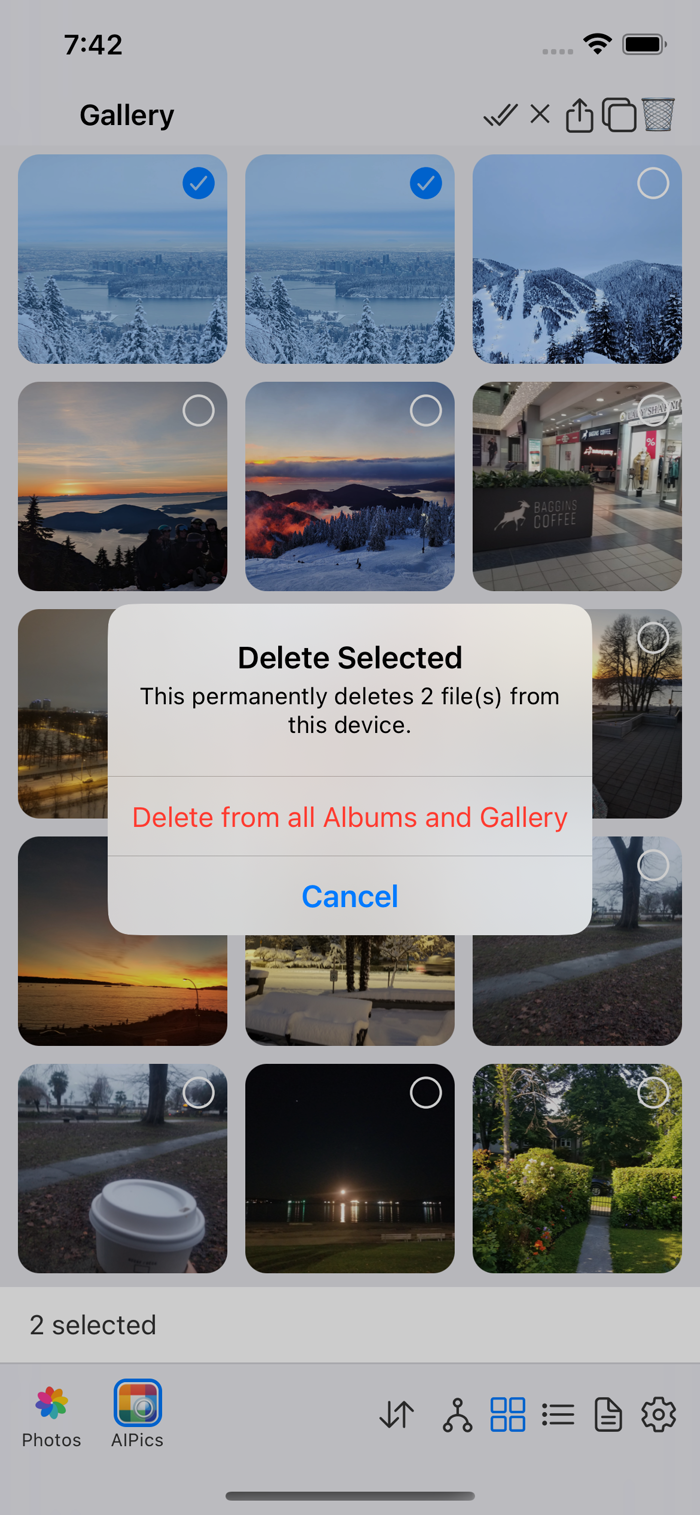
Local, deleting a photo from the Gallery (all-media) screen: since that's the one place every photo always belongs to, deleting from there deletes the file completely (with the same Photos-aware choice as above when it applies), and you're warned about that before it happens.
-
Local, deleting an album: the same "Delete Selected" dialog as above appears — just without the Photos-aware choices, since there's no photo content in the selection to be link-aware about — Cancel or Delete, then the whole album and its contents are removed.
-
Desktop and SMB: also show a "Delete Selected" confirmation dialog ("Delete N item(s)?") before deleting a selection.
-
Local's Photos tab (the mirror of your whole iOS Photos library, see Gallery and Albums): since this tab is just a mirror that resyncs against your whole library, there's no meaningful way to remove a photo from it alone — it would just reappear on the next refresh. Deleting here always deletes the real photo from your Photos library, through Apple's own confirmation — decline that and nothing is removed at all.
-
Photos (the separate repository): deleting goes through Apple's own system confirmation dialog, the same one you'd see in the Photos app itself — AIPPics doesn't add another one on top of it.
You can delete a single open photo from the viewer's Edit mode (the trash icon there), or delete a whole selection from Select mode.