Connecting to Desktop and SMB
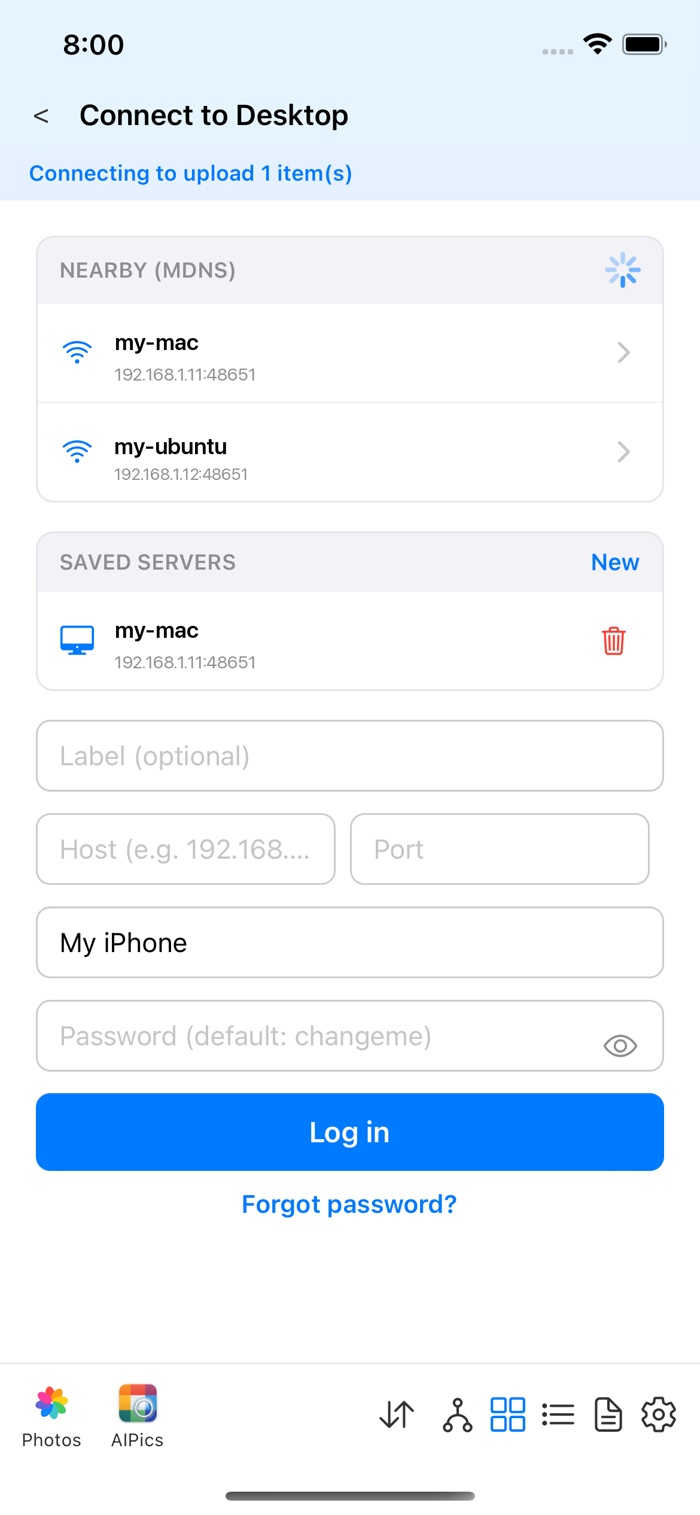
Desktop: switch repositories to "Desktop Server". AIPPics lists
servers it's found automatically on your Wi-Fi network. Pick one, then
enter the server's admin password and log in. A brand-new server starts
on the default password changeme — the app will immediately ask you to
choose a new one before it lets you connect. Forgot the password? Use
"Forgot password?" on the login screen — it walks you through resetting
it with the recovery PIN shown on the server's own console (or emailed,
if a recovery address is configured there). Once logged in, you won't
need the password again for that server. Besides your own albums, a
Desktop server also shows physical folders — real folders on the
computer's disk, shown with a different icon color, browsable but not
something you can rename or delete from the phone.
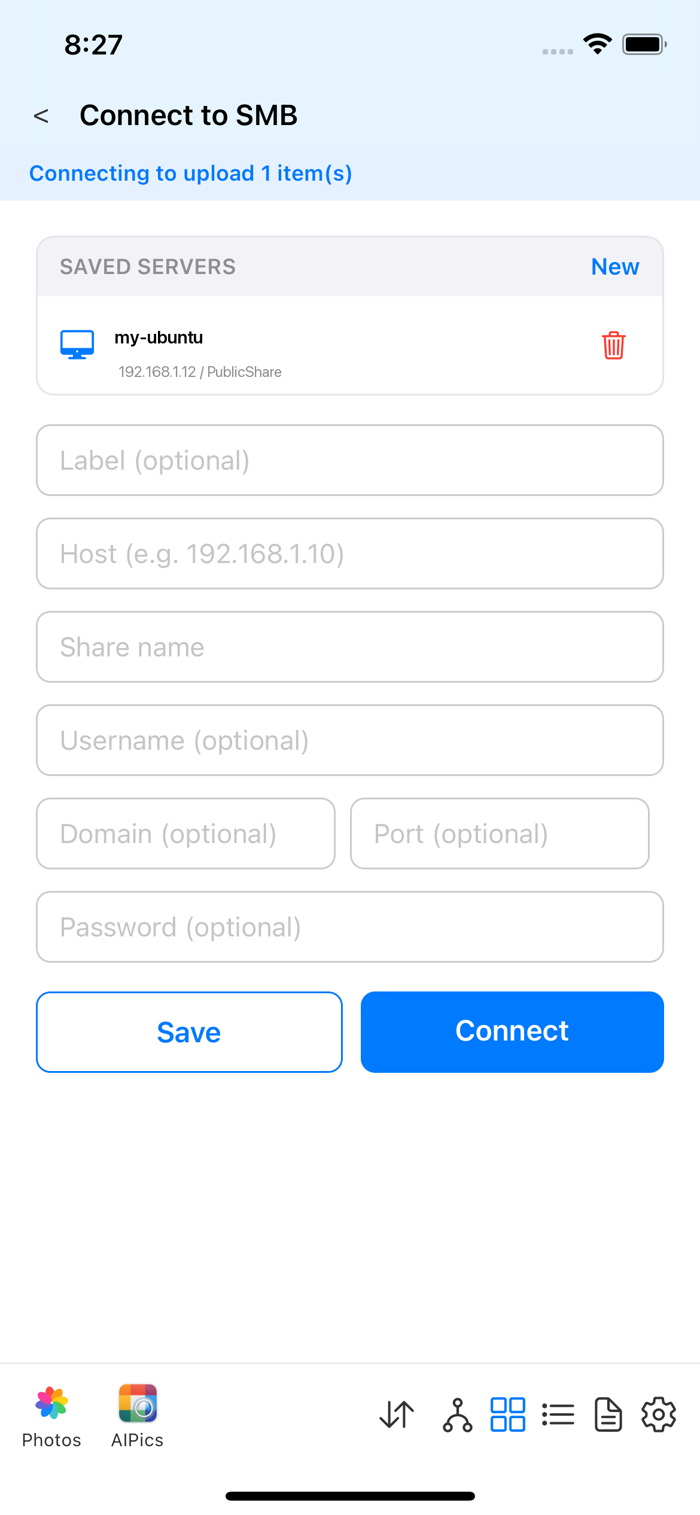
SMB: switch repositories to "SMB Share" and fill in the server address, share name, username, and password. Only one SMB connection can be active at a time. An SMB share has no separate "logical albums" — it's just the plain folder structure of the share itself.